Managed Customer Support
Support conversations in one workspace
We provide managed customer-support services for businesses across Facebook Messenger, WhatsApp, email and website chat.
Businesses authorize their own communication channels. Their customer conversations then enter a shared support workspace where approved agents can respond on the business’s behalf.
Our service combines automated assistance for common questions with human support for requests that require an agent.
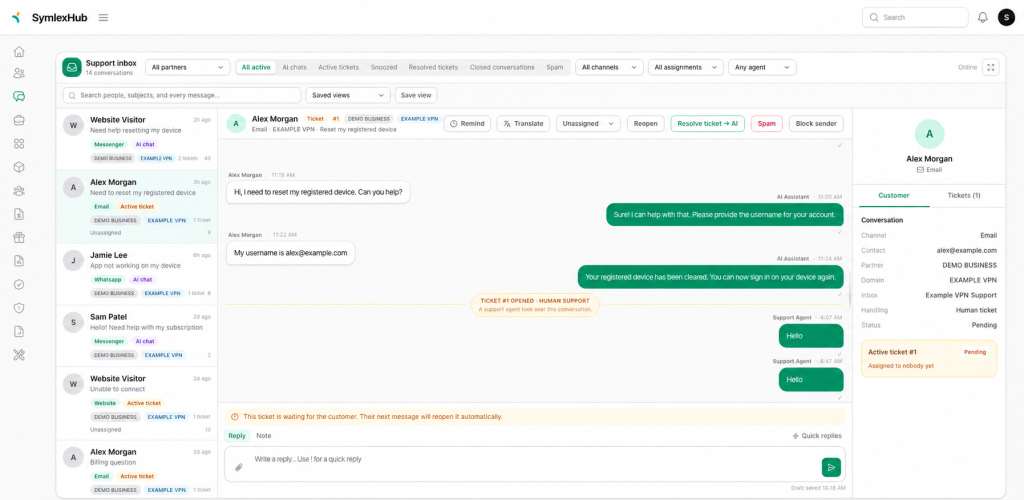
Supported channels
Facebook Messenger
Businesses can authorize a Facebook Page they own. Messages and attachments sent to that Page appear in the support workspace, where authorized agents can respond.
Connected WhatsApp Business numbers can receive customer messages, attachments and delivery updates through the same workspace.
Businesses can forward an existing support mailbox to the platform while continuing to send branded replies from an approved email domain.
Website chat
Businesses can add a chat widget to their website so visitors can contact support without leaving the page.
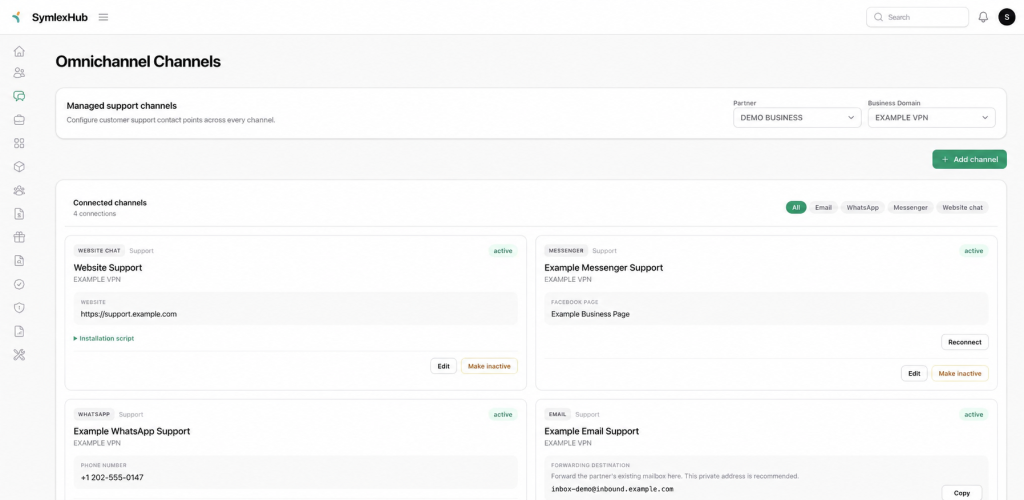
How the service works
- A business authorizes a channel that it owns.
- Customer messages from that channel enter the support inbox.
- The AI assistant may answer common questions using approved business information.
- Requests requiring human assistance are converted into support tickets.
- An authorized agent is assigned and responds to the customer.
- Once the ticket is resolved, the conversation can return to automated assistance.
The business can disconnect its channel when it no longer wants us to process new conversations.
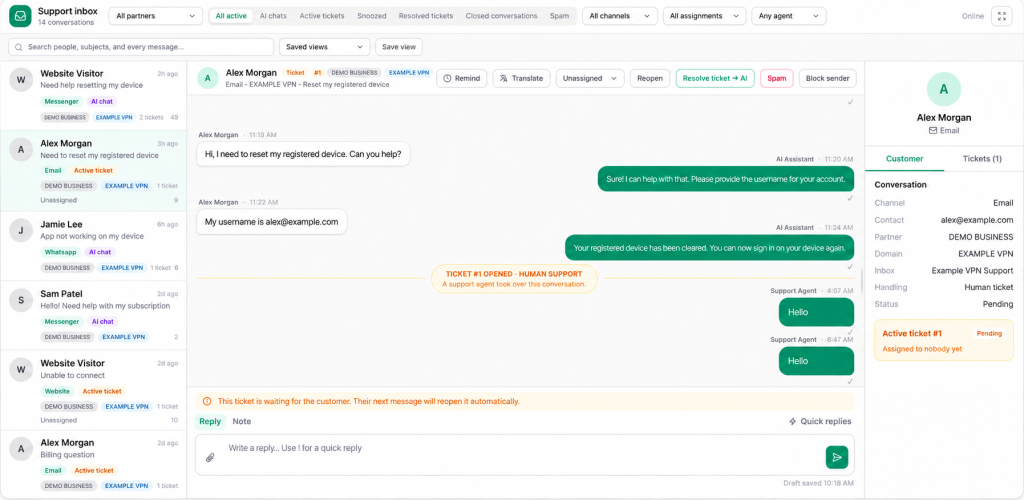
AI-assisted, human-controlled support
The AI assistant is limited to knowledge approved for the connected business. It is instructed to transfer the conversation to a human agent when:
- The customer explicitly requests human support.
- The request requires access to an account or subscription.
- The request concerns billing, refunds, security or abuse.
- The available information is insufficient to provide a reliable answer.
- A protected action requires additional verification or approval.
Authorized agents can review the conversation history, take over the conversation, add private notes and resolve the resulting ticket.
How we use Meta Platform Data
When a business connects a Facebook Page, we may process the Platform Data necessary to provide Messenger support, including:
- Facebook Page identifiers and names.
- Messenger user identifiers.
- Names and profile images made available by Meta.
- Messages and message attachments.
- Message delivery and read events.
- Authorization tokens required to operate the connected Page.
We use this data only to provide customer support for the business that owns the connected Page. It is not used for unrelated advertising or sold to third parties.
Access to conversations is restricted to authorized support users. Connection credentials are stored encrypted and are not displayed to support agents.
Data control and deletion
A business can disconnect its Facebook Page to stop new Messenger data from entering the support system.
Facebook users can also remove the Kolpolok Helpdesk integration from their Facebook account settings. When Meta sends a valid data-deletion request, we delete or anonymize the applicable stored Platform Data associated with that request.
For additional privacy and data-handling information, read our Privacy Policy.