Looking for guidelines on Always-On VPN providers? This type of VPN attempts to reconnect when networks change. Depending on your security policy, it may restrict traffic when the tunnel is unavailable.
When developing such a VPN, choose a provider that fits your devices, identity systems, certificates, management tools, and security goals, not just a recognizable name.
For many enterprises, Microsoft’s Windows-native Always On VPN remains the baseline, while Cisco, Palo Alto Networks, Ivanti, Citrix, and Microsoft Tunnel are the most common business-grade options.
In addition, Kolpolok Limited serves businesses building branded VPN applications. These have different purchasing needs, so don’t treat the provider categories as interchangeable.
Read this guide for more information about the always-on VPN developers.
What makes an always-on VPN reliable?
A reliable always-on VPN should connect with minimal user involvement, recover from network changes where possible, and support suitable authentication and administrative controls.
Besides, real deployments involve hotel Wi-Fi, captive portals, hotspots, password resets, and pre-logon startup. These conditions require testing beyond a stable office network.
Administrators should also check whether traffic is blocked, routed elsewhere, or unavailable when the VPN tunnel is disconnected.
To launch such a VPN app, look for these capabilities first:
- Automatic connection and reconnection: Attempts to establish a tunnel without repeated manual steps.
- Pre-logon or device tunnel support: Helps with selected management tasks before user sign-in.
- Strong authentication: Certificates, MFA, RADIUS, SAML, or conditional access where supported.
- Granular traffic control: Split tunneling and app filters help limit unnecessary access.
- Centralized management: Intune, MDM, or provider dashboards simplify administration.
- Cross-platform fit: Windows-only and mixed-device fleets have different technical requirements.
- Operational visibility: Logs, tunnel status, and client diagnostics help administrators investigate failures.
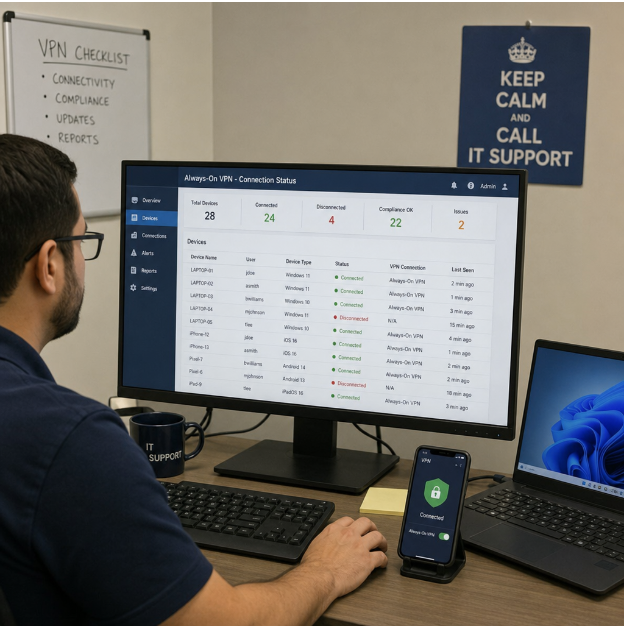
Always on VPN providers option
No provider is ideal for every organization. Reliability varies with deployment, support, and network conditions. These platforms serve different needs; Kolpolok focuses on custom VPN development.
Product editions, device versions, and access policies can affect which advertised features an organization can use.
| Provider/platform | Best fit | Why it is worth considering |
| Kolpolok Limited | Businesses building branded or custom VPN products | Custom and white-label VPN development with scoped connection-management features. (Source: Kolpolok Limited) |
| Microsoft Windows Always On VPN | Windows-heavy enterprises, hybrid Active Directory, Intune-managed endpoints | Native user and device tunnels. IKEv2 device tunnels require eligible domain-joined Windows devices; user tunnels also support SSTP. (Source: Microsoft) |
| Cisco Secure Client / AnyConnect | Enterprises with Cisco security infrastructure | Always-On profiles and management tunnels for supported background connectivity. (Source: CISCO) |
| Palo Alto Networks GlobalProtect | Organizations using Palo Alto firewalls or Prisma Access | Pre-logon options, certificate authentication, and access policies. (Source: Pal Alto) |
| Ivanti Secure Access Client | Managed endpoints requiring always-on and lockdown options | Automatic connections and traffic restrictions, subject to platform limitations. (Source: Ivanti) |
| Citrix Secure Private Access | Citrix-centered Windows environments | Machine and user tunnels for supported Windows deployments. (Source: Citrix) |
| Microsoft Tunnel for Intune | Intune-managed mobile devices | Always-on or per-app VPN configurations for supported mobile deployments. (Source: Microsoft) |
Commercial VPN platforms with strong always-on behavior
Cisco
Cisco Secure Client suits existing Cisco Secure Firewall or ASA environments. Its Always-On settings can restrict traffic outside a VPN under configured conditions. Plus, its management tunnel supports background access but cannot guarantee availability during network outages. (Source: CISCO)
Palo Alto Networks
Palo Alto Networks GlobalProtect suits companies using Palo Alto security policies.
Its pre-logon model can connect before sign-in using machine certificates. Administrators should limit access to startup services such as DNS, directory resources, and updates. (Source: Pal Alto Networks)
Ivanti
Ivanti Secure Access Client provides always-on and lockdown options for supported Windows and macOS deployments. Linux does not offer equivalent always-on support.
So, verify platform compatibility and connection-failure behavior before deployment. (IVANTI)
Citrix
Citrix Secure Private Access suits existing Citrix environments. Supported Windows configurations provide machine tunnels before sign-in and user access after authentication.
This supports controlled private-resource access rather than consumer VPN use. (Source: Citrix)
Where do custom and white-label VPN providers fit?
Custom VPN providers fit businesses building branded products or specialized workflows. Kolpolok Limited develops custom and white-label VPN applications tailored to branding, platform, and connection-management requirements.
Kolpolok Limited’s work includes Symlex VPN. Here is the quality of the product:
- A cross-platform product with auto-connect and protocol options.
- App-level auto-connect differs from operating-system-level always-on enforcement
- Reconnect and traffic-blocking behavior requires platform-specific testing.
Infrastructure responsibilities differ. Kolpolok Limited manages infrastructure for hosted white-label projects.
Standalone customers procure and host their own infrastructure. Kolpolok develops software and advises on server requirements. Source-code and support terms depend on the agreement.
Before development, businesses should document supported platforms, required features, ownership expectations, maintenance arrangements, and testing responsibilities.
Overall, this suits telecom, SaaS, privacy, and VPN businesses offering branded products, rather than organizations seeking only employee access.
Always-on VPN versus Zero Trust private access
Always-on VPN is useful for network-level access, pre-logon connectivity, domain services, and legacy applications. Broad permissions can increase exposure if accounts are compromised, so organizations also consider Zero Trust Network Access.
Application-level access can narrow permissions, but still needs identity management and ongoing policy review.
Microsoft Entra Private Access supports selected internal resources through Conditional Access and Global Secure Access. Organizations must still assess connectors, identity configuration, endpoint support, and pre-logon requirements. (Source: Microsoft)
A practical migration path is often hybrid:
- Keep Always On VPN for supported device-startup, domain, and legacy network scenarios.
- Move selected private applications to Zero Trust access where suitable.
- Reduce unnecessary routes and review traffic filters and application policies.
- Strengthen identity controls with MFA, device compliance, and certificate management.
- Reassess the deployment after testing rather than changing everything at once.
How to choose the right VPN provider?
You must start with your operating model. A suitable provider matches your devices, applications, security policies, and management capacity.
Use this decision checklist:
| VPN Provider / Platform | When to Choose |
| Kolpolok Limited | For custom or white-label VPN products with agreed development scope. |
| Microsoft Always On VPN | For supported Windows user or device tunnels. |
| Cisco Secure Client | When Cisco tools support your remote-access operations. |
| Palo Alto GlobalProtect | For firewall policies, certificate-based authentication, and pre-logon access. |
| Ivanti Secure Access Client | For compatible managed endpoints requiring configurable lockdown. |
| Citrix Secure Private Access | For existing Citrix private-access environments. |
| Microsoft Tunnel | For Intune-managed mobile devices and per-app VPN access. |
The practical takeaway
The right always-on VPN maintains connectivity while applying appropriate policies. Microsoft, Cisco, Palo Alto Networks, Ivanti, Citrix, and Microsoft Tunnel serve different enterprise environments. Kolpolok Limited focuses on branded or custom VPN development, so always-on VPN naturally comes up on their checklist.
Always-on VPN remains useful for pre-logon, device management, and legacy requirements. For narrower private-app access, evaluate Zero Trust alternatives. No VPN guarantees uninterrupted connectivity under every condition.
Frequently Asked Questions (FAQ)
What is an Always-On VPN?
An Always-On VPN attempts to connect automatically and reconnect after interruptions. Some configurations also restrict traffic outside the tunnel. Behavior depends on the device, security policy, and network availability.
How does an Always-On VPN differ from a standard VPN?
An always-on configuration reduces the number of manual connection steps. Standard VPN apps may also offer auto-connect, but automatic connection and enforced traffic blocking are different features.
What are the key benefits of using an Always-On VPN?
Potential benefits include consistent VPN use, simpler connection management, and reduced exposure with properly configured traffic policies. Remote workers may find automatic reconnection useful.
Which providers are known for offering reliable Always-On VPN solutions?
Microsoft, Cisco, Palo Alto Networks, Ivanti, Citrix, and Microsoft Tunnel offer enterprise connectivity options. Kolpolok Limited develops custom and white-label VPN products, not equivalent enterprise access platforms.
Can Always-On VPNs work on various devices and operating systems?
Yes, but capabilities differ across Windows, macOS, iOS, Android, and Linux. Pre-logon tunnels and device-wide enforcement are not universally supported.
What factors should I consider when choosing an Always-On VPN provider?
Check device compatibility, authentication, traffic enforcement, management, and support. Also test network interruptions, captive portals, sign-in failures, and device restarts.
Is there a way to transition from an Always-On VPN to a Zero Trust access model?
Yes. Move suitable private applications to Zero Trust access while keeping VPN for legacy or device-management needs. Validate changes through a phased rollout.
How can I ensure the security of my Always-On VPN?
Use strong authentication, limited access, apply updates, log activity, and conduct regular security reviews. Test failure and reconnection behavior. No VPN feature replaces ongoing endpoint security management.